
Quick answer
IPTVX is a universal app that runs on iPhone, iPad, and Apple TV from a single App Store download, so the setup steps are nearly identical across all three. Install IPTVX from the App Store, open it, and add your playlist directly in the app using either your Xtream Codes details (domain, username, password) or an M3U/M3U8 link — there's no separate activation website or Device ID step involved.
Tested on: [device/iOS version] · IPTVX [version] · [date]
IPTVX is a universal IPTV player built for Apple's ecosystem — one app, downloaded once, that runs natively on iPhone, iPad, Apple TV, Apple Vision Pro, and Mac with Apple silicon. One of our users recommended it specifically for how cleanly it handles Xtream Codes logins and M3U playlists without extra setup steps. This guide covers installing it and connecting your IPTV subscription on iPhone, iPad, and Apple TV.
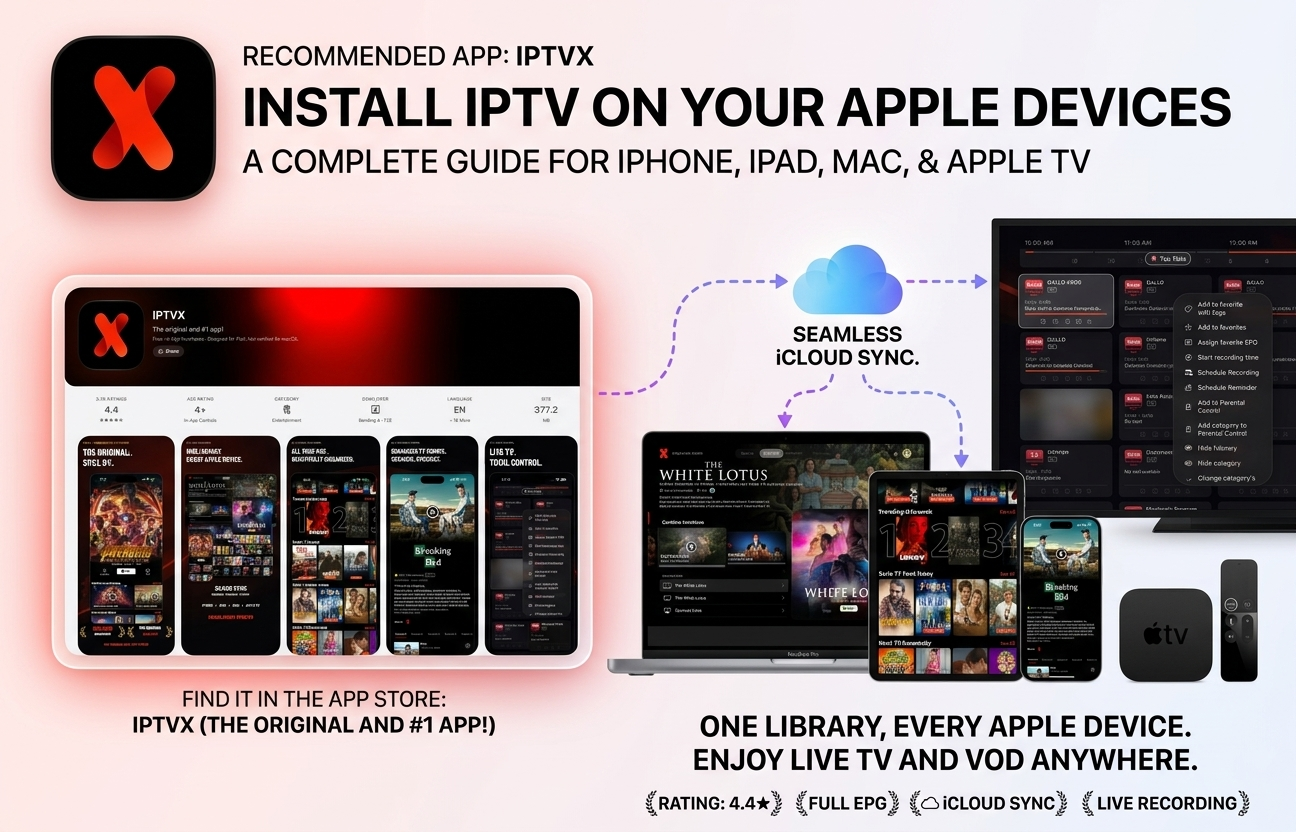
Device Compatibility
| Device | Minimum OS | Notes |
|---|---|---|
| iPhone | iOS 16.0+ | Same app and interface as iPad, scaled for the smaller screen. |
| iPad | iPadOS 16.0+ | Supports multitasking alongside other apps. |
| Apple TV | tvOS 16.0+ | Installed from the tvOS App Store directly on the device. |
| Mac (Apple silicon) | macOS 12.0+ | Runs the iPad version of the app via Apple silicon's iOS app support. |
What You Need
- An iPhone, iPad, or Apple TV connected to Wi-Fi or Ethernet (Apple TV only)
- A stable internet connection
- An Apple ID signed in on the device, to download from the App Store
- Your IPTV provider's Xtream Codes details (domain, username, password) or an M3U/M3U8 playlist URL
Step 1: Install IPTVX From the App Store
- Open the App Store on your iPhone, iPad, or Apple TV.
- Search for IPTVX.
- Confirm the listing — IPTVX is published by developer Bending X - FZE, with a red "X" icon.
- Tap Get (or the cloud-download icon if you've installed it before), then open the app once it finishes installing.
IPTVX is a free download with optional in-app purchases — installing it doesn't require a subscription on its own. It's also a single universal app, so the same App Store listing installs the correct version automatically whether you're on iPhone, iPad, or Apple TV.
Step 2: Create a New Playlist Profile
- On the IPTVX home screen, tap the option to add a new playlist.
- Choose a playlist type: Xtream (recommended if your provider supports it), M3U link, or one of the other listed options.
- Give the playlist profile a name — this is just a label shown on your home screen, not something your provider needs to know.
Ready to test it on your Apple device?
Request a free trial to get a working Xtream Codes or M3U login before you finish setup.
Step 3: Connect Your IPTV Subscription
- If you chose Xtream, enter your provider's domain (in the form
https://domain:port/), your username, and your password. - If you chose M3U link instead, paste the full playlist URL your provider gave you.
- Optionally add an EPG (TV guide) link and set the guide's timezone offset if your provider supplies one separately.
- Tap Save — IPTVX will load your channel list and return you to the home screen with your new playlist profile shown as an icon.
Unlike Device ID/Device Key activation used by some other players, IPTVX takes your Xtream Codes or M3U details directly inside the app — there's no separate activation website to visit. With GetTV.online, these login details are sent after your subscription or free trial is activated.
Installing on Apple TV Specifically
IPTVX uses the same app and the same account across devices, so playlists you add on your iPhone or iPad don't automatically appear on Apple TV — each device needs the playlist added once, either by entering the same Xtream Codes or M3U details again, or by signing in to the same IPTVX account if the app offers account sync . Navigation on Apple TV uses the Siri Remote instead of touch, so menus are laid out for remote-based selection rather than tapping.
Troubleshooting
App not showing up in the App Store
Confirm your device meets the minimum OS version listed above, and that you're searching for "IPTVX" exactly — similarly named apps exist, including unrelated players with overlapping names.
No channels / playlist not loading
Double-check your domain, username, and password (or M3U URL) were entered with no extra spaces or missing characters, and confirm you have an active internet connection on the device.
Buffering
Use a wired or strong Wi-Fi connection, and avoid running other bandwidth-heavy devices on the same network at the same time.
EPG empty or wrong time
Confirm your provider supplies a separate EPG URL entered correctly, and check the guide's timezone offset setting in the playlist profile if the schedule looks off.
Playlist added on one device isn't on another
IPTVX playlists are typically added per device unless account sync applies . Add the same Xtream Codes or M3U details again on each additional iPhone, iPad, or Apple TV.
Using another device?
Our 40,000+ channel lineup works with IPTVX on Apple devices the same way it does with other players. If you're converting a playlist between formats, our M3U-to-Xtream-Codes guide covers that process. Request a free trial to test it on your specific device, or check current plans.
FAQ
What app should I use for IPTV on iPhone, iPad, or Apple TV?
IPTVX, a universal app available on the App Store that runs on iPhone, iPad, Apple TV, Apple Vision Pro, and Apple-silicon Mac from a single download, supporting Xtream Codes and M3U/M3U8 playlists.
Is IPTVX free?
IPTVX is free to download, with optional in-app purchases . Installing the app itself doesn't require a subscription.
Do I need a Device ID or Device Key for IPTVX?
No. IPTVX takes your Xtream Codes domain, username, and password (or an M3U link) directly inside the app, with no separate activation website involved.
Does IPTVX work the same on Apple TV as on iPhone?
It's the same app and the same playlist setup process, just navigated with the Siri Remote instead of touch. Each device typically needs its playlist added separately.
Can I use the same IPTVX playlist on multiple Apple devices?
You can add the same Xtream Codes or M3U details on each device individually .
What's the difference between Xtream and M3U setup in IPTVX?
Xtream uses your provider's domain, username, and password to pull channels and guide data automatically. M3U setup uses a single playlist link instead — your provider's instructions will specify which one to use.
Does GetTV.online work with IPTVX?
Yes, using either Xtream Codes or M3U details from your GetTV.online subscription. Request a free trial to test it on your specific device.