
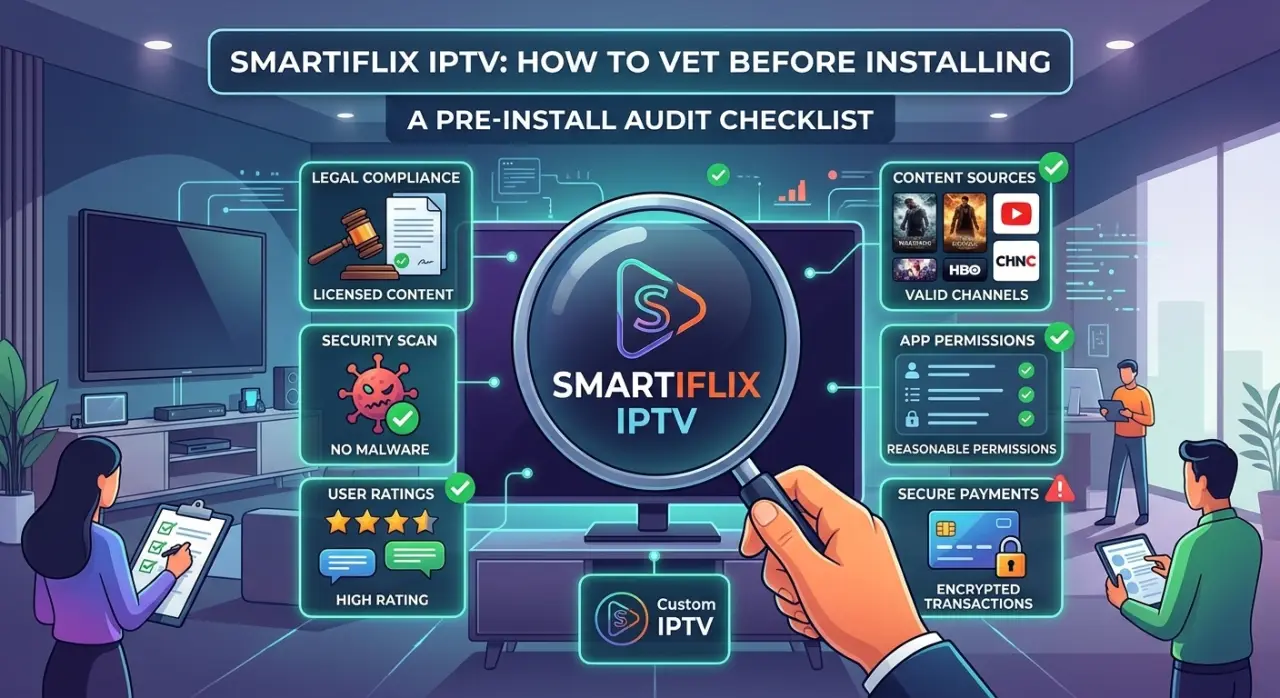
If you've come across "Smartiflix IPTV" or a similarly named app while looking for an IPTV player, the question worth asking isn't really about that one app name specifically — small, lesser-known IPTV apps come and go constantly, often with near-identical names to each other. The more useful habit is knowing how to vet any IPTV app before installing it, regardless of what it's called.
Where the App Actually Comes From
The install source matters more than almost anything else when evaluating a lesser-known IPTV app. An app available through an official app store (Google Play, Apple's App Store, Amazon Appstore) has at least passed that platform's baseline review process. An APK downloaded directly from a website, a third-party forum, or a sideloaded file has not, and carries meaningfully more risk — not because every sideloaded app is unsafe, but because there's no independent check on what it actually does. The same scrutiny applies whether you're setting up on a desktop player or a mobile device — the install-source question doesn't change by platform.
If an app is only distributed as a direct APK download with no official store listing, treat that as a reason to verify everything else on this list more carefully, not as an automatic red flag on its own — some legitimate smaller IPTV apps genuinely do distribute this way, but it removes a layer of independent vetting you'd otherwise get for free.
What Permissions It's Actually Asking For
A basic IPTV player app needs internet access and storage access (for caching or downloads) at most. If an app requests contacts, SMS, call logs, device admin privileges, or accessibility services — permissions that have no clear connection to playing video — that's worth questioning directly rather than granting by default. Check the permissions list before installing, not after, since some platforms make it harder to review retroactively.
The App Itself vs. the Subscription Behind It
It's worth separating two different things that often get conflated: the player app itself, and the IPTV subscription or service it connects to. A player app can be well-built and genuinely safe to install while the specific subscription service you connect it to is unlicensed or unreliable — the app is just the interface, not the source of the actual content. Our plain-language explanation of what IPTV actually is covers this distinction between the delivery technology and the specific service in more depth.
This means vetting the app (install source, permissions, developer reputation) and vetting the specific subscription or provider you plan to use with it are two separate checks — passing one doesn't mean the other is also fine.
A Practical Checklist Before Installing
- Install source — official app store preferred; if sideloaded, extra scrutiny on everything else
- Requested permissions — should map clearly to video playback, nothing more
- Developer information — a visible, consistent developer name and some history, rather than an anonymous or brand-new listing
- Independent reviews — look beyond the app's own store description or marketing
- What subscription or stream source you'll actually connect it to — vetted separately, as above
These same checks apply to any similarly-named app you come across — our broader look at verifying a named IPTV reseller before subscribing covers the parallel checklist for the subscription side rather than the app itself.
If the app checks out but you're still evaluating which actual subscription to use with it, our guide to comparing IPTV streaming services covers what to check on that side specifically. If you're specifically looking at Kodi as the player rather than a standalone app, our guide to Kodi addons for IPTV covers what that setup involves differently, including its own safety considerations.
GetTV.online uses standard, widely-recognized player apps rather than a custom unverified app, connecting to a licensed subscription with 40,000+ live channels and 150,000+ movies and series, plus a free trial to test it directly.
FAQ
Is Smartiflix IPTV safe to install?
We can't verify the safety of any specific third-party app from here — that's exactly what the checklist above is for: checking install source, requested permissions, developer information, and independent reviews directly rather than relying on the name alone.
Is it safer to use a well-known player app with an IPTV subscription instead of a dedicated branded app?
Generally yes — a widely-used, established player app has more independent scrutiny (reviews, community use, store oversight) than a newer, less-known branded app, though it's still worth checking the specific subscription you connect it to separately.
What permissions should an IPTV app actually need?
Internet access and storage access at most. Requests for contacts, SMS, call logs, or device admin privileges have no clear connection to video playback and are worth questioning.
Does a safe app guarantee the IPTV subscription is legal?
No — the app and the subscription are separate things. A well-built, safe app can still be used to connect to an unlicensed or unreliable subscription service, so both need to be checked independently.
Should I sideload an IPTV APK if it's not in an official app store?
It's not automatically unsafe, but it removes a layer of independent review you'd otherwise get, so it's worth being more thorough about developer information and independent reviews before doing so.