
Quick answer
Proton VPN and Windscribe are the two free VPN apps with a genuine Android TV app and a real no-cost tier, not just a trial. Proton VPN's free plan has no data cap but doesn't guarantee a specific server count; Windscribe's free plan is capped at 10GB a month but documents its limits clearly. Both install straight from the Google Play Store on true Android TV devices — Chromecast with Google TV is the one exception, since Google has said it doesn't natively support VPNs at the system level.
Tested on: [device/Android TV version] · [date]

Watch: How to download Proton VPN on your TV
Most "best free VPN" lists for Android TV quietly include apps that are only free to trial — a week or a month before the paywall hits. This guide sticks to apps with an actual no-cost tier that keeps working indefinitely, confirms which ones install natively on Android TV rather than just Android phones, and is upfront about what each free tier doesn't include, since that's usually where these lists get vague.
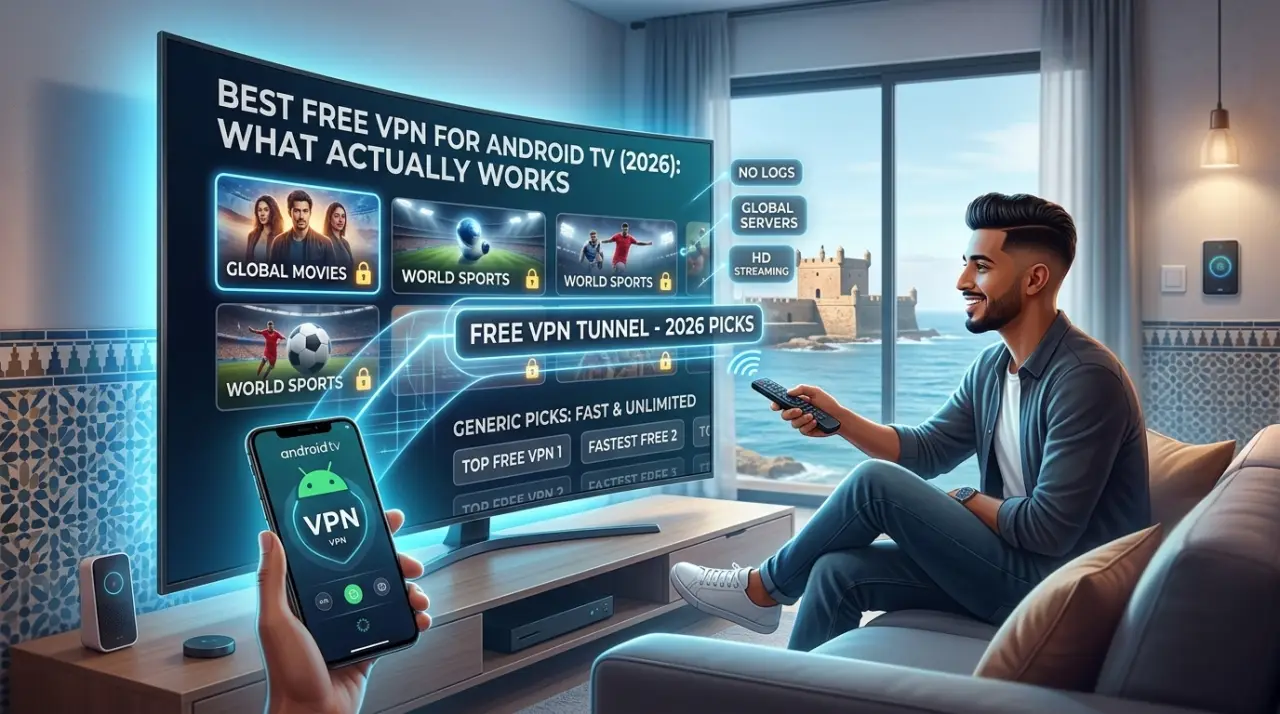
Which Android TVs Actually Support a VPN
"Android TV" isn't one single thing, and that's where a lot of free-VPN confusion starts. True Android TV OS devices — Nvidia Shield, Sony Bravia, TCL, Hisense, Philips, and similar Google TV-branded sets — run the same underlying Android VPN framework as a phone, with a standard VPN entry under Network settings and normal Google Play Store access for VPN apps.
Chromecast with Google TV is the outlier. Google's own support representatives have stated that Chromecast with Google TV doesn't natively support VPNs at the system level, and that installing a third-party VPN app on it isn't officially supported — results can vary by app and aren't guaranteed to work. If you're on a Chromecast with Google TV specifically, confirm an app genuinely works on your exact model before relying on it.
| Device type | VPN app support | Notes |
|---|---|---|
| Nvidia Shield, Sony Bravia, TCL, Hisense, Philips (Android TV OS / Google TV) | Supported | Standard Android VPN settings screen; install apps directly from the Play Store. |
| Chromecast with Google TV | Not officially supported | Google has stated VPNs aren't natively supported at the system level on this device; third-party app results vary. |
| LG (webOS), Samsung (Tizen), Roku | Not applicable | Not Android-based, so Android VPN apps don't install at all. |
What You Need
- A true Android TV OS or Google TV device (not Chromecast with Google TV, not LG/Samsung/Roku)
- A Google account signed in on the device, to access the Play Store
- A stable internet connection
- An email address, if the VPN app you choose requires account creation even for its free tier
Free VPN Apps Compared
Only two apps below have both a genuine free tier (not a trial) and a confirmed, native Android TV app with clear vendor documentation of their limits. A third is included with caveats, since its own reviewers don't agree on its exact free-tier limits.
| App | Free data limit | Free server locations | Notes |
|---|---|---|---|
| Proton VPN | No data or speed limit on the free plan | Not clearly documented for free users | 1 device on the free plan. Proton's own Android TV page notes some streaming services block VPN IPs, free tier included. |
| Windscribe | 10GB/month | 10 countries (free), 69+ with a paid plan | No kill switch on the Android TV app. Uses a one-time "Lazy Login" code since typing a password with a remote is impractical. |
| hide.me VPN | 1 device on the free plan. Independent audit status of its no-logs claim wasn't confirmed in research for this guide. |
Mainstream paid VPNs like NordVPN, ExpressVPN, and PureVPN all have solid Android TV apps, but their "free" offer is a time-limited trial of a paid plan, not an ongoing free tier — worth knowing if a "best free VPN" list elsewhere includes them without that distinction.
Step 1: Install a VPN App From the Play Store
- On your Android TV's home screen, open the Google Play Store app.
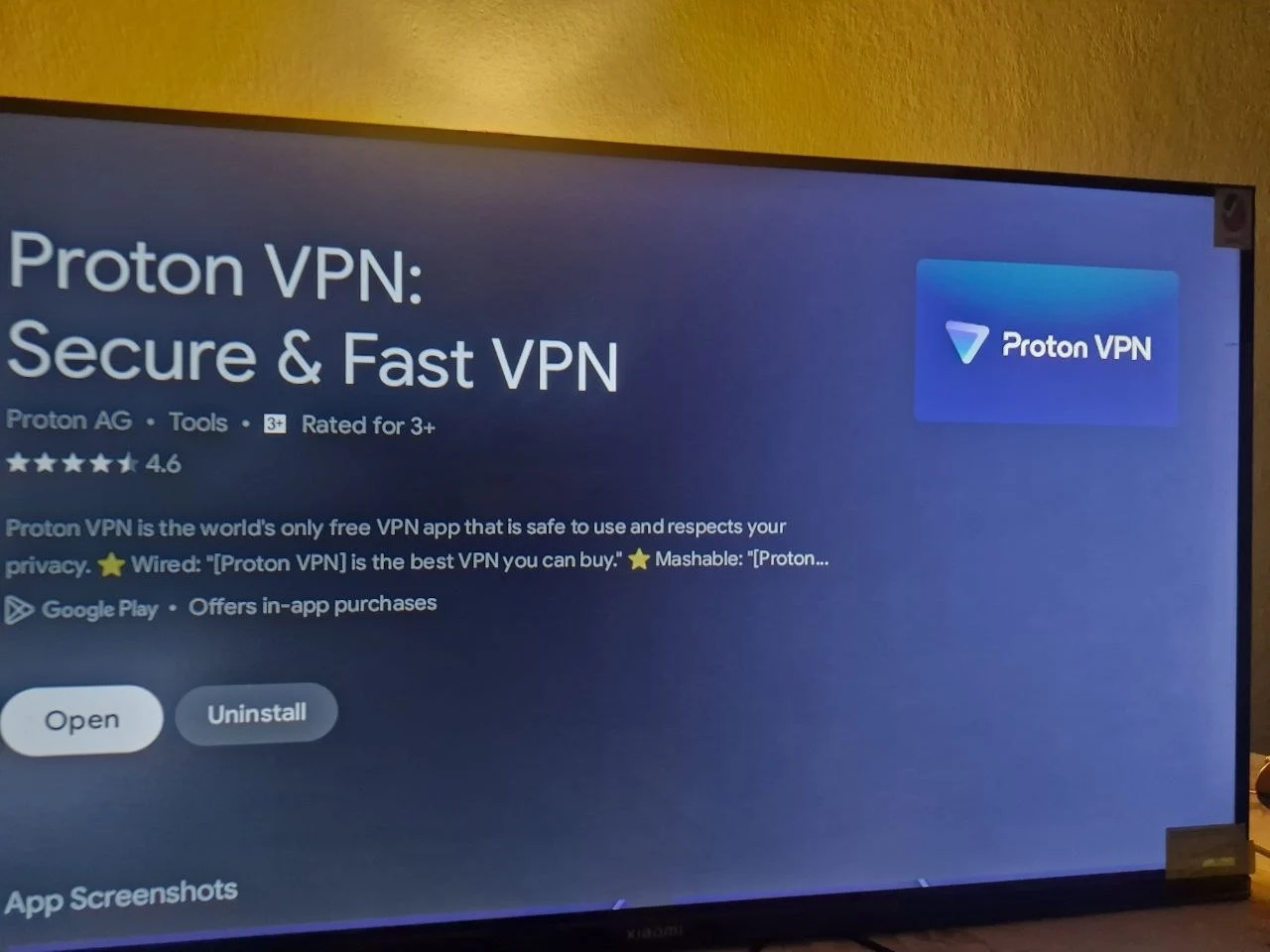
- Search for the VPN app by name — for example, ProtonVPN or Windscribe.
- Confirm the listing shows an Android TV-compatible icon/layout before installing, since some VPN apps are phone-only despite appearing in a general Play Store search.
- Select Install, then open the app once it finishes.
If the app doesn't appear in your TV's Play Store search at all, it most likely doesn't have a dedicated Android TV build for your device — sideloading a phone-only VPN APK onto a TV is unsupported and often doesn't work correctly with the remote-based interface.
Setting up IPTV on your Android TV too?
Request a free trial to get a working login before you finish setting up your device.
Step 2: Connect and Verify It's Working
- Open the VPN app and sign in, or create a free account if the app requires one.
- Some apps (like Windscribe) use a one-time code shown on the TV screen that you enter on windscribe.com/lazy from a phone or computer, rather than typing a password with the remote.
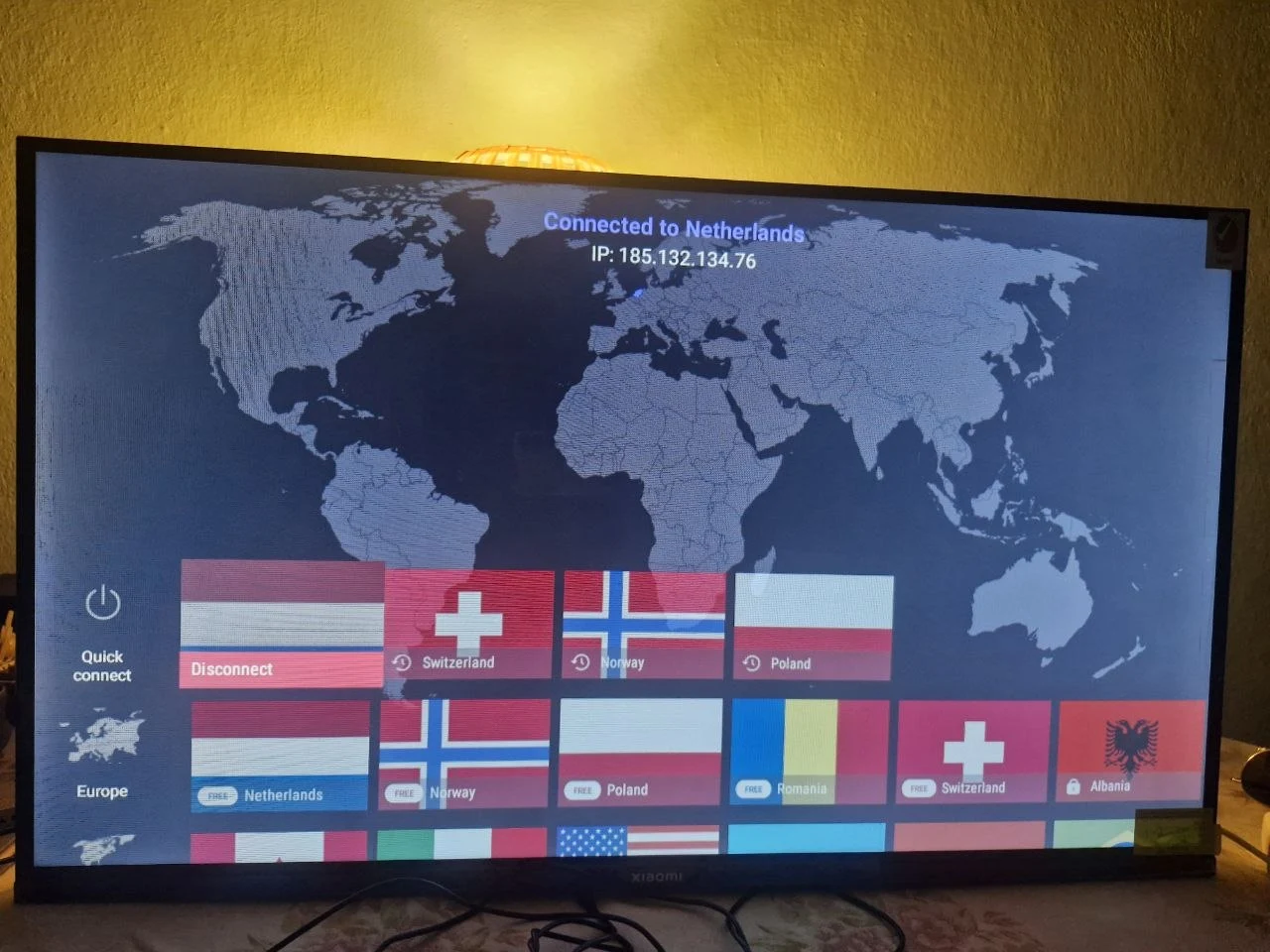
- Pick a server location from the free-tier list and tap Connect.
- Once connected, the app typically shows a changed IP address or location — some apps also add a small VPN key icon to the TV's status area.
You can also check an app's connection status under the TV's system Network & internet > VPN settings, which lists any active VPN app the same way it would on an Android phone.
Why Use a VPN on Android TV at All
- Privacy on shared networks. Encrypts your TV's traffic on a household, dorm, or any network you don't fully control.
- Limiting ISP-level tracking. Reduces how much of your streaming activity your internet provider can log against your home IP address.
- Avoiding bandwidth throttling. Some ISPs slow down connections once they detect heavy streaming traffic specifically; a VPN can prevent that kind of traffic-shaping.
- Accessing your own subscriptions while traveling. Many streaming apps let a subscriber temporarily access their home-region catalog while abroad — a VPN set to your home country supports that, for content you're already legitimately subscribed to.
Worth knowing before you rely on a free VPN for streaming specifically: several providers, including Proton VPN on its own Android TV page, note that some streaming services actively detect and block known VPN server IP addresses — free-tier servers get flagged especially often, since they're shared by far more users than a paid plan's larger server list.
Troubleshooting
VPN app isn't showing up in the Play Store
Confirm you're on a true Android TV OS or Google TV device, not a Chromecast with Google TV or a non-Android smart TV (LG webOS, Samsung Tizen) — the app may simply not have a build for your platform.
Connected, but streaming apps won't load content
Try a different free-tier server location, since a specific server's IP address may already be flagged by that streaming service. This is a known limitation of free VPN tiers generally, not necessarily a problem with your setup.
Slow speeds after connecting
Free tiers often route through fewer, more heavily shared servers than paid plans. Switching to a less crowded free location can help; if speed matters more than cost, a paid tier on the same app usually adds more server capacity.
App disconnects and traffic isn't blocked
Some Android TV VPN apps (Windscribe's, by its own documentation) don't include a kill switch, meaning your connection can fall back to your normal, unencrypted connection if the VPN drops rather than blocking all traffic until it reconnects. Reconnect manually after any drop if this matters for your use case.
Can't type my password with the remote
Check whether the app offers a code-based login instead — Windscribe's "Lazy Login" shows a one-time code on the TV that you enter from a phone or computer, avoiding remote-based password typing entirely.
Setting up IPTV instead?
If you're setting up IPTV on the same Android TV device, our guide on whether you actually need a VPN for IPTV covers that question specifically, and GetTV.online's own subscription plans include a VPN option if you'd rather not manage a separate free VPN app. Request a free trial to test our 40,000+ channel lineup on your Android TV.
FAQ
Is there a truly free VPN for Android TV, or just free trials?
Proton VPN and Windscribe both have an ongoing free tier with a native Android TV app, not just a time-limited trial. Most mainstream paid VPNs (NordVPN, ExpressVPN, PureVPN) only offer a free trial of a paid plan.
Does Chromecast with Google TV support VPN apps?
Not officially. Google has stated Chromecast with Google TV doesn't natively support VPNs at the system level, and third-party VPN app results on it aren't guaranteed.
Why won't my streaming app work with a free VPN connected?
Many streaming services actively detect and block known VPN server IP addresses, and free-tier servers are shared by more users, so they get flagged more often than a paid plan's larger server pool.
What's the data limit on free VPN apps for Android TV?
It varies by app — Windscribe's free tier is capped at 10GB a month, while Proton VPN's free plan currently has no data cap, per its own documentation. Always check the provider's current pricing page, since these limits do change.
Can I use a free VPN with IPTV on Android TV?
Yes, a VPN app and an IPTV app run independently on the same device. See our guide on VPNs and IPTV for whether it's actually necessary for your setup.
Will a free VPN slow down my Android TV?
Possibly. Free tiers typically route through fewer, more heavily shared servers than paid plans, which can reduce speed compared to a direct connection or a paid VPN tier.
Is it safe to use a lesser-known free VPN app?
Stick to providers with clear, vendor-published terms and independent tech-press coverage. Lesser-known free VPN apps with vague "unlimited, no limits" marketing and no independent privacy audit are worth extra caution before installing on any device.